In the first post the OnePlus 6T booted Omarchy instead of Android, with cellular on the not-working list. Two agent sessions later the shell behaves like a phone and mobile data works, after patching ModemManager twice. All of it landed in omarchy-phone.
Getting cellular data working
Three modem bugs between the SIM and a bearer
postmarketOS has the SDM845 modem working, so the hardware side was known good. The userspace was not. Four daemons the modem needs (qrtr, rmtfs, pd-mapper, tqftpserv) are not in the Arch Linux ARM repos and build from source. Then three bugs, the first two of which looked like a broken SIM:
Nothing provisions the SIM’s UIM session. Android’s RIL activates the USIM application on the occupied slot as the “primary GW” session at boot. Nothing in the Linux stack does. ModemManager init fails with couldn't check unlock status: GW primary session index unknown and parks the modem in sim-missing, with a SIM that works fine in other phones. A boot service now replays postmarketOS’s fix before ModemManager starts.
The firmware refuses every data call until you bind the subscription. Registration and PS attach looked healthy, and every data connection attempt came back cm error: no-service. Android’s RIL sends WDS Bind Subscription before Start Network; ModemManager never does, and this firmware refuses unbound clients. A patch adds the bind to ModemManager’s connect path.
ModemManager segfaults on the connection that finally works. Its netlink layer has a use-after-free: transaction_complete frees the transaction before invoking its completion callback. Every muxed data connection crashed ModemManager at the moment it succeeded, and NetworkManager’s autoconnect turned that into a crash loop. Patched locally; the bug is still upstream as of 1.25.95.
With all three fixed, nmcli connection up three brings up LTE on Three UK: an address on qmapmux0.0, both packet counters climbing, ping to 1.1.1.1 at 22 to 37 ms.
A cellular widget for the bar
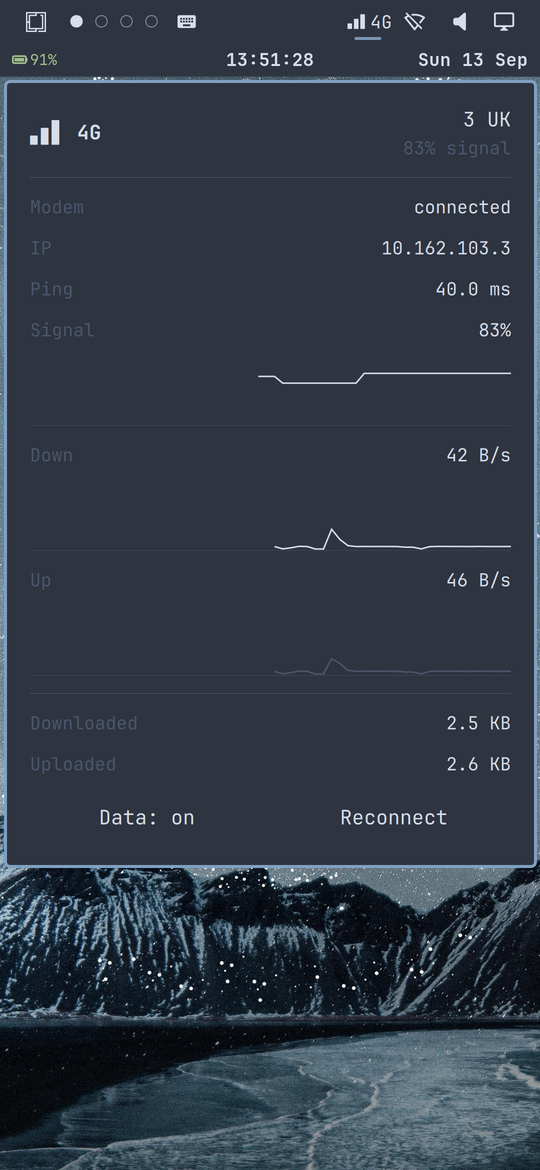
Omarchy’s bar has no cellular widget. The port adds one: signal bars and the RAT label in the bar, and a panel with operator, signal, IP, ping, data totals, live rate graphs, a Data toggle and a Reconnect button. A shell script samples ModemManager every two seconds and emits one pipe-separated line the QML parses.
Debugging a touch shell with a synthetic finger
The polish session ran entirely from the Mac: ydotool injects taps over SSH, grim screenshots the result, and the agent reads the screenshots. The loop found real bugs, and its own tooling lied twice. ydotool mousemove lands the cursor at exactly twice the requested coordinates, clamped to the screen edge, so taps hit whichever widget sat at the clamp point until the agent read the position back with hyprctl cursorpos after every move. The phone also idle-locked mid-run once, after which every “failed” tap was the lock screen eating input. Every later tap was gated: move, read back the cursor, then click.
With trustworthy taps, the widget bugs fell out one at a time:
- Parts of the widget were dead. The icon button’s hit box is narrower than the drawn glyph plus label, and its internal
MouseAreaswallows presses inside that box. An overlayMouseAreaas a child of theRowwas silently 0x0, because Qt positioners reject fill anchors on their children. The fix is both: a press handler on the button, and a sibling overlay filling the row. - A tooltip haunted the clock row. Tooltips show after a 400 ms hover, and a finger has no hover-unhover: after a tap the cursor stays parked on the widget, the timer fires, and the tooltip sits over the clock until the next tap. The widget now sets no tooltip.
- Outside taps did not close the panel. The built-in network panel failed identically, which pointed into the shell. The cause was the first post’s own keyboard fix: it subtracts a 315 px keyboard strip from the panel’s dismissal mask unconditionally, the bottom quarter of a 1170 px screen, so background taps there dismissed nothing. The subtraction now only applies while the input method is up.
The Data button
The panel said Data: off while 68 MB had come down the bearer, and the Data button did nothing. Both scripts asked NetworkManager, and NetworkManager was not managing the connection: the bearer had come up through ModemManager directly, so nmcli connection down three returned 'three' is not an active connection and the status read as off.
Fixing this broke mobile data three ways before it worked:
- Toggling the raw ModemManager bearer connected, assigned the IP, and passed no traffic: TX climbed, RX stayed at zero. A hand-configured raw-IP link on this modem sends and receives nothing back.
nmcli connection up threefrom SSH failed withNot authorized to control networking: polkit denies sessions with no seat, and the shell’s process spawner has no seat either.- Restarting ModemManager and NetworkManager left the modem cycling
searchingtoidle. The honest fix was a reboot, after which NetworkManager’s autoconnect brought everything up on its own.
The toggle now runs sudo -n nmcli and is verified end to end: tap, IP gone; tap, IP back, ping 22 to 37 ms. The other casualties were self-inflicted. Killing the shell to load a debug variable also killed its supervisor, so nothing respawned the bar. A stray synthetic tap hit Screen off, which deliberately ignores touch so the phone cannot wake in a pocket. From the desk chair, both looked like crashes; the compositor was fine throughout.
Theming and the rest
The other half of the work made a laptop shell usable by finger.
Acting like a phone
Omarchy assumes a laptop: launcher and window management from the keyboard, a session lock that takes a typed password. None of that works by finger.
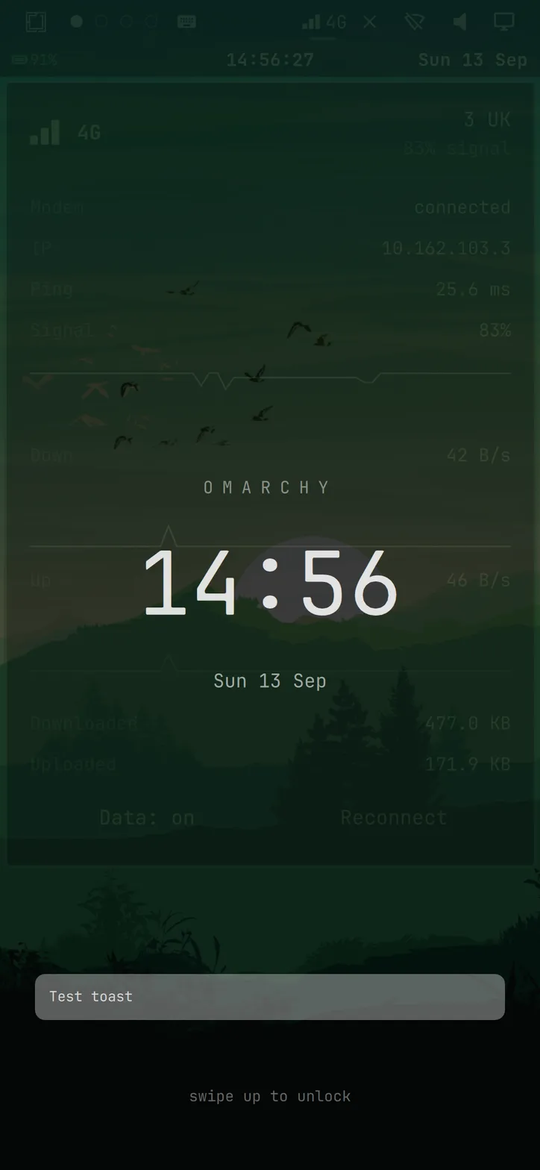
The lock screen. Wayland’s ext-session-lock protocol draws above everything, including the on-screen keyboard, so the password field focuses and nothing can type into it. The replacement is a lock.qml running as its own Quickshell instance: dimmed wallpaper, clock, swipe up to dismiss. Cosmetic only; it does not protect the session.
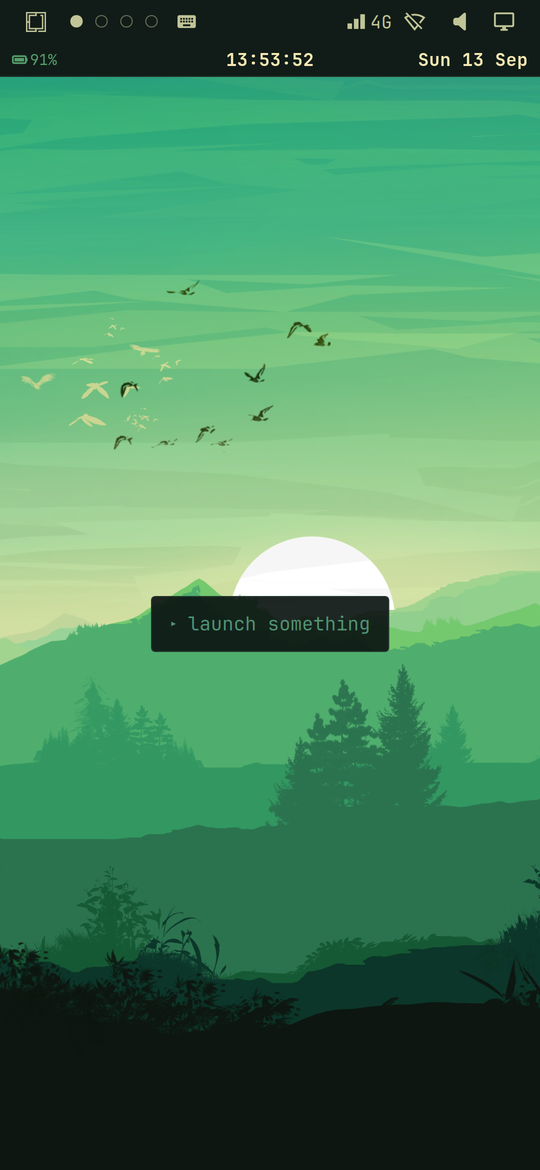
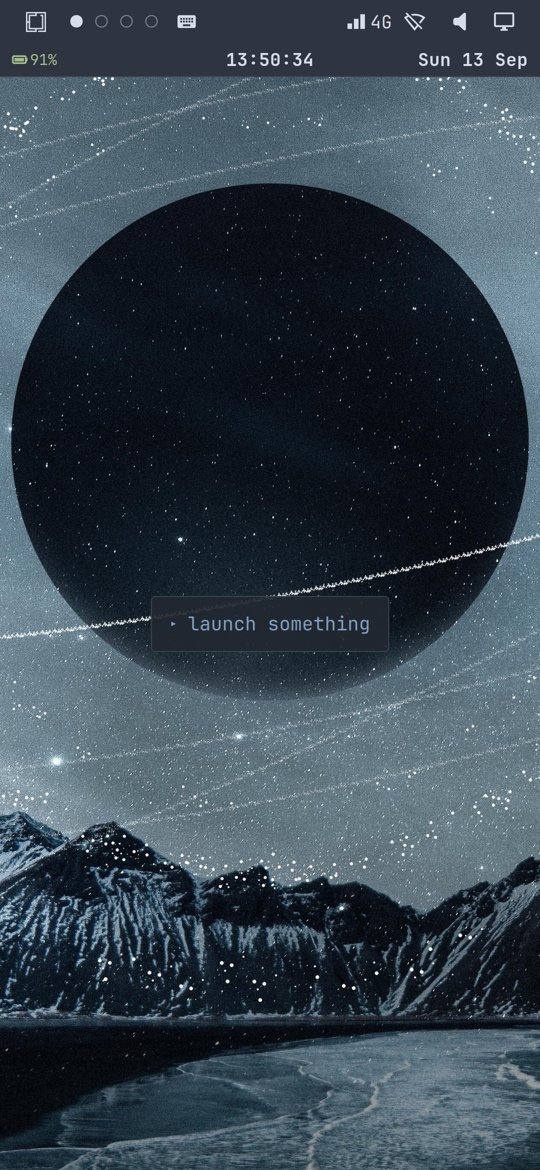
The empty workspace. A tiling compositor draws nothing on an empty workspace, and there is no keyboard to press SUPER+RETURN. The “launch something” idea is from Bjarne Øverli’s Omarchy phone concept, the design mock-up the first post cited; here it is real, a hint card running as its own Quickshell service.
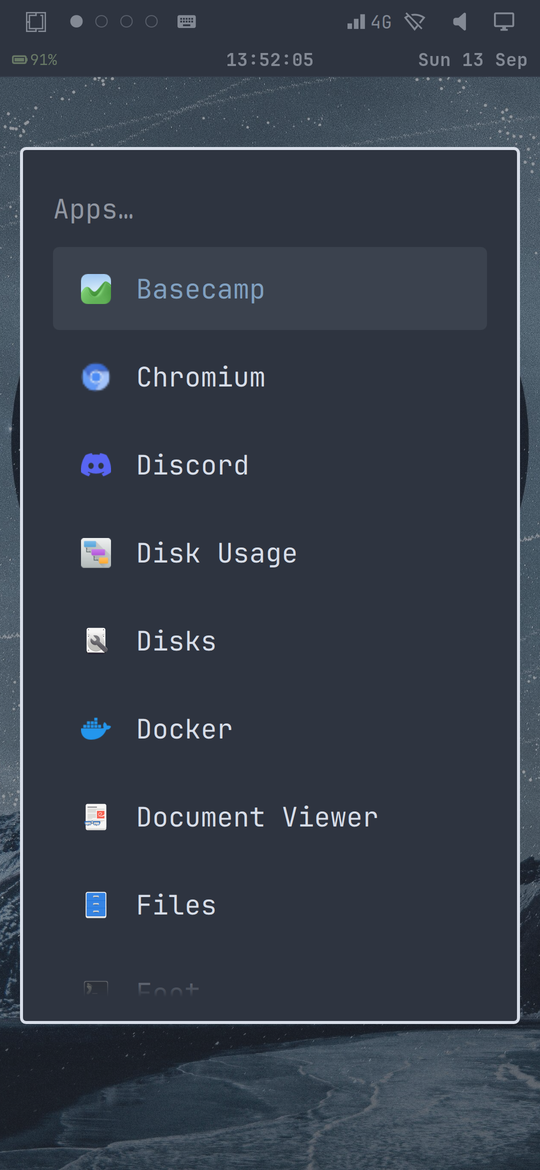
Closing apps. No titlebars and no gesture plugin (hyprgrass will not compile against Hyprland 0.56.2’s Lua headers), so closing a window is the Close app row in the menu.
Tap outside to close. Omarchy’s menu scrim is a MouseArea, which only sees pointer events; a finger on a layer-shell surface never produces one. A TapHandler fixed it and created the next bug: it counted taps on the on-screen keyboard as outside taps and closed the menu mid-word. It now ignores the keyboard’s strip while the keyboard is up.
All of the shell patches live in one idempotent script, apply-shell-patches.sh, re-run after any Omarchy upgrade because pacman overwrites /usr/share/omarchy.
The theme switcher
The theme switcher was the last holdout. The shell re-reads its palette on theme switch, but the waybar clock row generates its stylesheet once at startup, and the hint card watched a file inode that theme switches replace wholesale. A theme-set.d hook restarts both: theme switched at 13:53:16, both services restarted at 13:53:17.
Keeping the phone and the repo identical
check-sync.sh diffs every file the repo ships against the live phone, over a single SSH connection as one tar stream, because per-file scp calls stall the USB gadget’s link-local IPv6 stack and were reporting healthy files missing. It also caught the reverse problem: the polish session’s work lived on a branch this session did not have, and the device was ahead of the repo. Merging the branch, rather than re-committing device copies as new work, kept the history honest. The session ended at 58 in sync, 0 differ, 0 missing.
Where it stands
Working, on top of the first post’s list: mobile data on LTE with a working toggle and reconnect, the cellular bar widget and panel, the lock screen, the launcher hint, notification centre and quick settings, closing apps by finger, and theme switches that carry every surface. Not working: calls, SMS, Bluetooth, and I still have not tried the camera. Calls and SMS are next, and the modem side starts from a much better place than data did: the same patched ModemManager stack is already running.