I have wanted to switch to a different kind of phone for two years. Something minimal, without the usual apps, that I can customise and that is friendly to hacking on, and with no corporate AI baked into it. I looked at the devices built for that, the Light Phone, the Nothing Phone and the Boox Palma 2, which I bought. I looked at the aftermarket route too: a PinePhone, postmarketOS on hardware I already own, a PiPhone or some other way of building a phone around a Raspberry Pi.
Then I put Omarchy v3 on a PC and had more fun than I expected, ricing it with Claude Code, stripping it back to Arch Linux and Hyprland and building it up again from there. When posts started appearing of people putting Omarchy on phones, I had to try it. I had a OnePlus 6T in a drawer.
Here we will explore putting Omarchy on that phone so it boots instead of Android. Everything below was run on my machine and my phone, and the scripts are at github.com/danieljohnmorris/omarchy-phone.
- Who else has done this, and what I copied from them
- Getting into the phone: the bootloader, and the cable
- Building the image: Arch Linux ARM plus a postmarketOS kernel
- Boot problems, each of which looked like a dead phone
- The first Omarchy screen, three hours twelve minutes in
- Making it work by finger: keyboard, menu, bar, notch
- Omarchy on ARM: what installs, what does not, and the relabel in 4.0.3
Who else has done this
In August DHH posted that he would eventually make Omarchy for mobile, “totally possible with Android”, but big computers first. The same day Bjarne Øverli published a design concept of an Omarchy phone shell, with a note that it was only him using his creativity and nothing official.
The first person I found who had done it for real was Ivan, who gave an agent an old Pixel 4 that month and had Arch Linux ARM, Hyprland and Omarchy’s opinions running on it half an hour later. His write-up is what convinced me to try it. His prompt was to use postmarketOS as the reference for a working Linux phone and Omarchy as the reference for the opinions, and that is what I did.
Then in early September Chris Barnhart posted a photo of an old iPhone showing Omarchy’s wallpaper and bar, which DHH quote-tweeted with “Wait, what?! We are bringing Omarchy to old iphones now? Okay, let’s go!”. Chris had not posted how he did it when I looked.
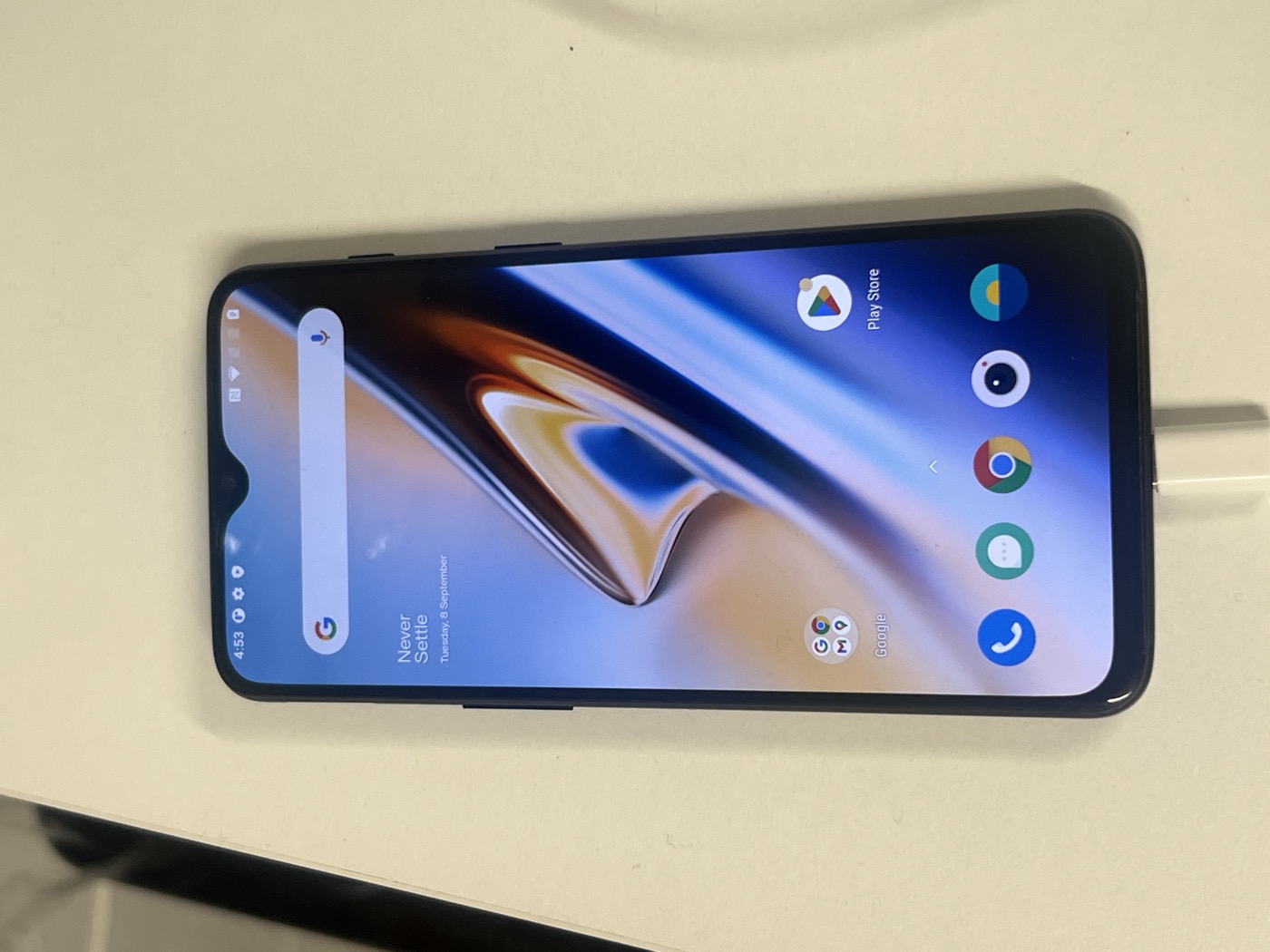
The OnePlus 6T is a Snapdragon 845 with 8 GB of RAM and 128 GB of storage, and postmarketOS has display, GPU, touch, Wi-Fi, audio and modem working on it, which meant I would not be doing the kernel work Ivan did for his Pixel.
Getting into the phone
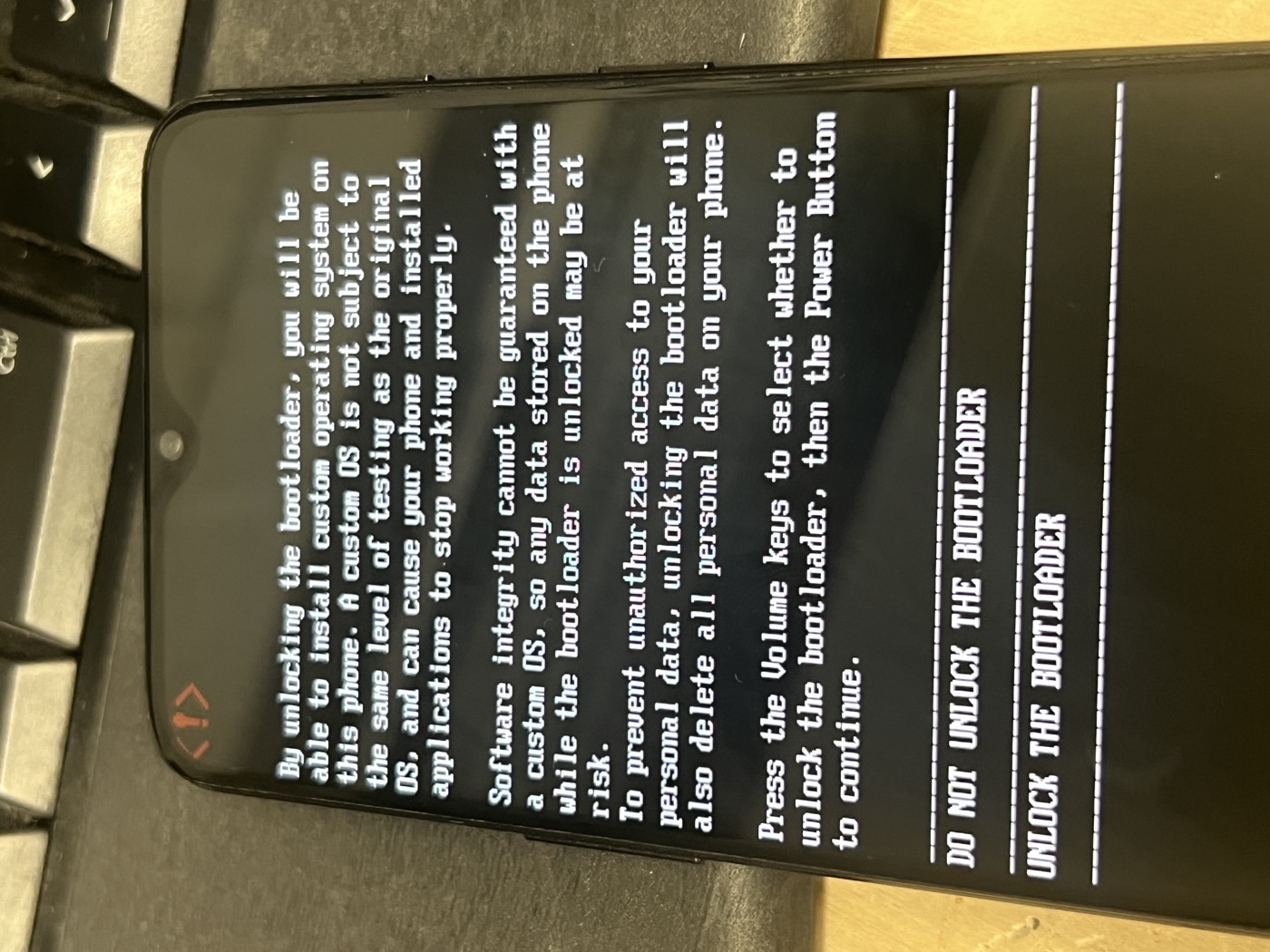
Unlocking the bootloader wipes the phone. The sequence is Developer options, then OEM unlocking, then USB debugging, then adb reboot bootloader, then fastboot oem unlock, then confirm on the phone with the volume keys.
That took longer than it should have, because fastboot could not see the phone. adb could. The Mac’s USB tree showed the device attach for about a second when the bootloader restarted, then vanish. With a USB 3 cable the bootloader vanished from the USB tree; with the USB 2.0 charge cable that came with the phone it stayed, and fastboot listed it (+45 min).
Building the image
I did not want a postmarketOS base. Omarchy is Arch: its packages, install scripts and update path all assume pacman, and postmarketOS is Alpine. So the userspace is Arch Linux ARM’s generic aarch64 tarball, and the only prebuilt piece is the kernel, since Arch has no kernel for this chip. That comes from postmarketOS’s linux-postmarketos-qcom-sdm845 package, version 6.16.7, with their firmware package for the Wi-Fi, modem, GPU and audio blobs.
The build runs inside a privileged arm64 Docker container on the Mac, which on Apple silicon is a native aarch64 Linux VM, so chrooting into the Arch image needs no emulation. The script makes a 16 GB ext4 image, unpacks the tarball into it, copies in the kernel, modules and firmware, chroots to install packages and build an initramfs with mkinitcpio, then appends the fajita device tree to the kernel and wraps both in an Android boot image with mkbootimg. The page size and load offsets are copied from postmarketOS’s device definition for this phone.
Two things needed building from source in that chroot. Arch Linux ARM’s binary hyprland package depends on an older aquamarine library than the one in the same repo, so I rebuilt Hyprland 0.56.2 from the Arch PKGBUILD. And Wi-Fi on this chip needs pd-mapper and tqftpserv from the linux-msm project, which are not packaged for Arch ARM at all. Without pd-mapper the Wi-Fi interface never appears.
Flashing is fastboot erase dtbo, fastboot flash boot boot.img, then fastboot -S 512M flash userdata rootfs.img, which sends the 16 GB image in chunks and skips the empty blocks. The rootfs goes to the partition Android used for user data, which is the largest one.
That does not remove Android. OxygenOS’s system and vendor partitions stay where they were, and only one of the two A/B boot slots is overwritten. The bootloader counts boot attempts per slot and falls back to the other one when a slot is never marked successful, which nothing in this install does. The day after I wrote this, a cold boot came up in OxygenOS. Flashing both boot slots and setting the slot’s successful bit from Linux are the fix, and they are on the list below.
Boot problems
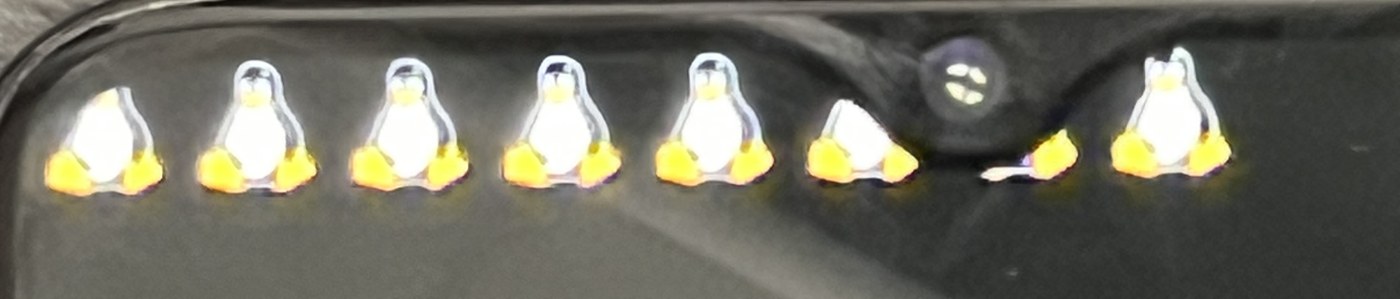
The first boot (+1 h 15 min) showed eight penguins, one per core, and nothing else. My kernel command line only sent console output to the serial port, so I was blind. Adding console=tty0 produced garbage: the panel is a command-mode DSI panel and the framebuffer console draws with the wrong stride on it. fbcon=rotate:1 gives readable text, sideways.
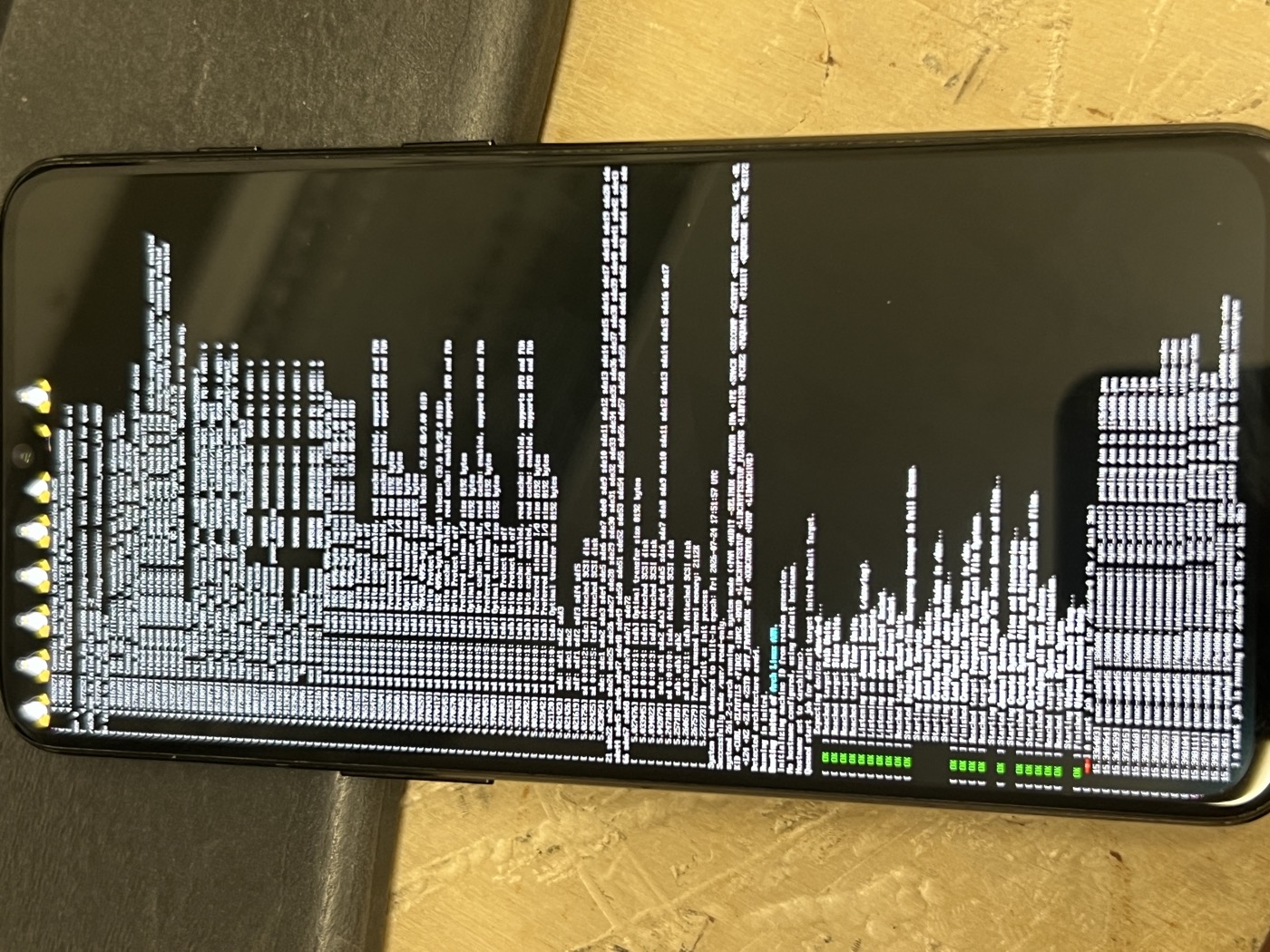
With readable text the message was A start job is running for /dev/sda17..., timing out after 90 seconds. The disk was there, the initramfs could not see it. The cause was the OnePlus bootloader: it appends its own root=/dev/dm-0 dm=... to the kernel command line after mine, describing a dm-verity device for Android, and the last root= wins. A small mkinitcpio hook that sets the root device from inside the initramfs, before it is resolved, fixed it. maggu2810 hit the same thing putting Arch on a OnePlus 6 and hard-coded the device in the same place.
run_hook() {
    export root="/dev/sda17"
    export rwopt="rw"
    export rootfstype="ext4"
}
The next problem only appeared once the image was flashed rather than booted over USB with fastboot boot. The screen stayed black, even writing random bytes to the framebuffer. When the phone boots from its own storage the bootloader draws a splash and hands the kernel a simplefb for it, which grabs the first framebuffer device. The kernel log then says fb0: sys_fillrect: framebuffer is not in virtual address space and the panel never comes up. initcall_blacklist=simplefb_init on the command line stops the splash framebuffer registering at all.
The Adreno GPU probes before the root filesystem is mounted, so its firmware has to be inside the initramfs or the GPU comes up without acceleration. That is a FILES= line in mkinitcpio.conf.
The first Omarchy screen
At +3 h 12 min from plugging the phone in, this was the screen.
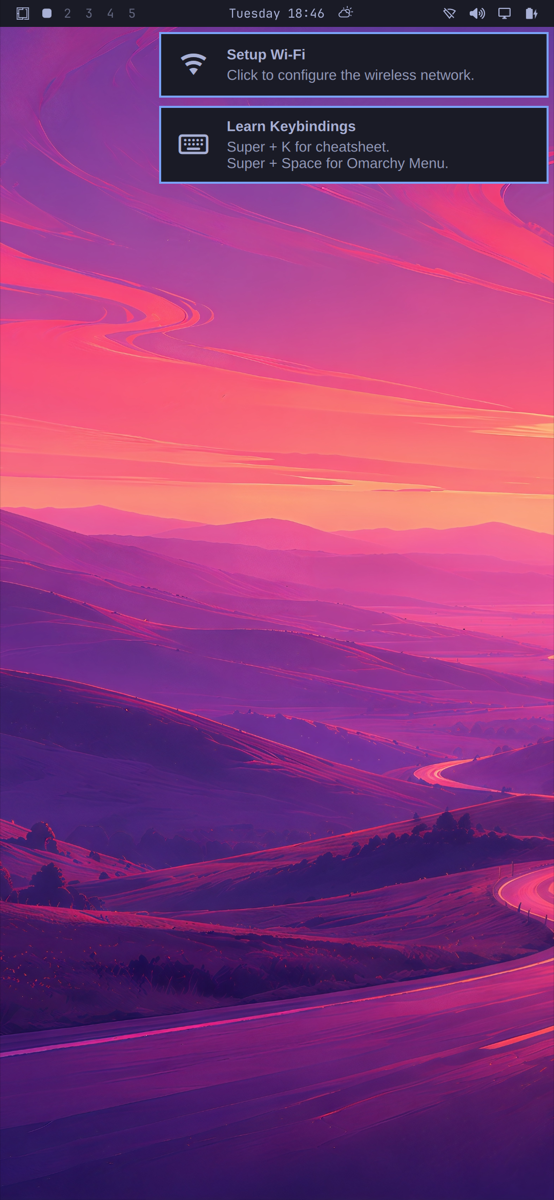
Omarchy’s own bar, written in Quickshell (the QML toolkit its bar and menus are built with), Tokyo Night, the setup notifications, all at native resolution with Hyprland scaling the 1080 by 2340 panel by two. Getting there from a login prompt was: install Omarchy’s architecture-independent packages with pacman -Udd to skip its laptop-only dependencies (limine, sddm, snapper, plymouth), copy the skeleton config into the user’s home, run omarchy-provision-user, and start Hyprland through uwsm, the session manager Omarchy launches it with on a desktop.
The phone had no internet of its own at that point, since no Wi-Fi network was joined. Every package went over a reverse SOCKS tunnel: ssh -N -R 1080 [email protected] from the Mac, and socks5h://127.0.0.1:1080 as the proxy on the phone. pacman honours it through libcurl. The 172.16.42.1 address is the phone’s USB network gadget, which the image brings up at boot with a DHCP server so the Mac gets an address without any configuration.
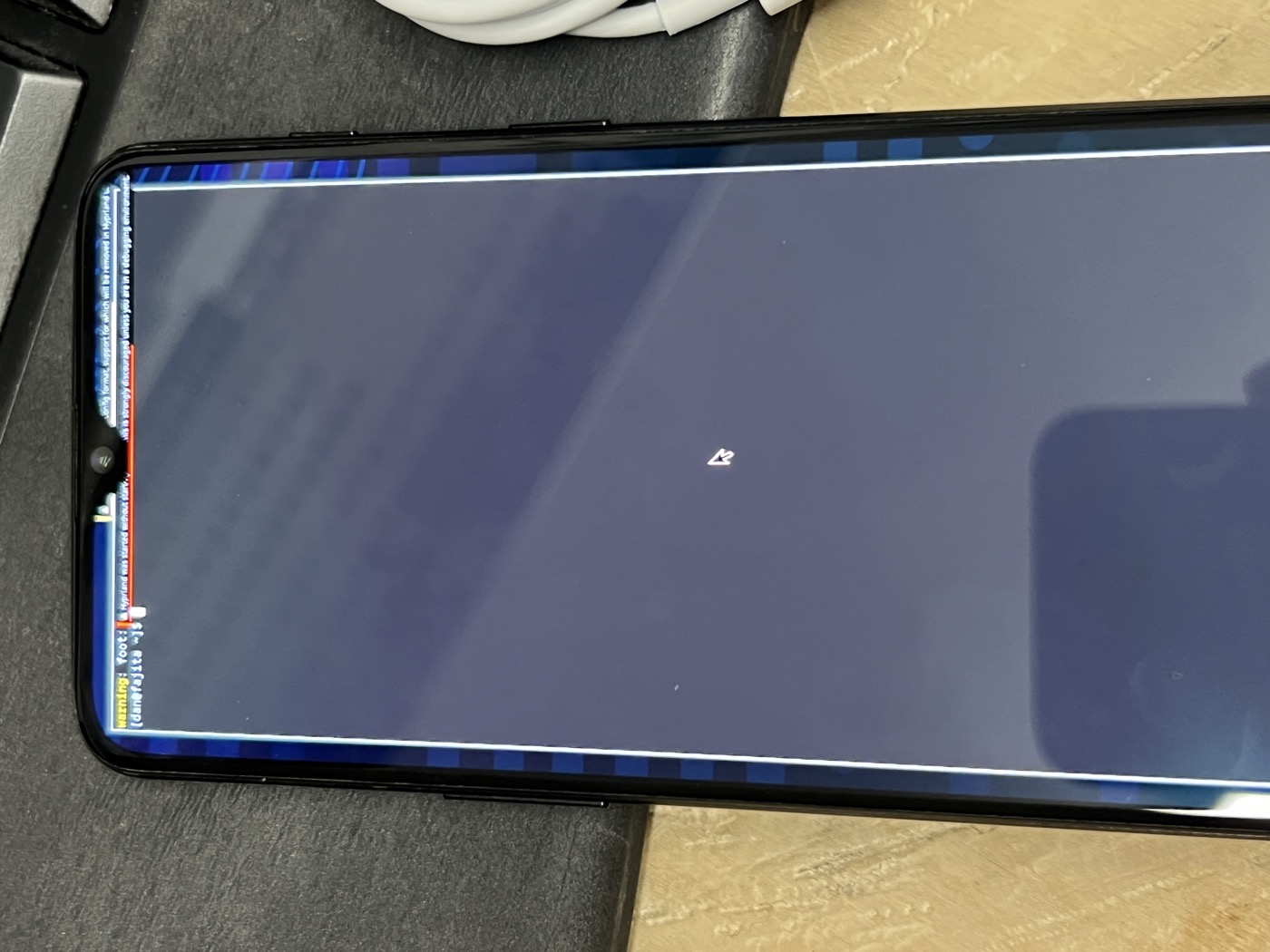
I posted it and asked whether anyone was coordinating the phone work, touch, menus, keyboard, SIM, calls, rather than everyone rolling their own.
Making it work by finger
The shell assumes a mouse, a hardware keyboard and a laptop screen. Each of those needed its own fix.
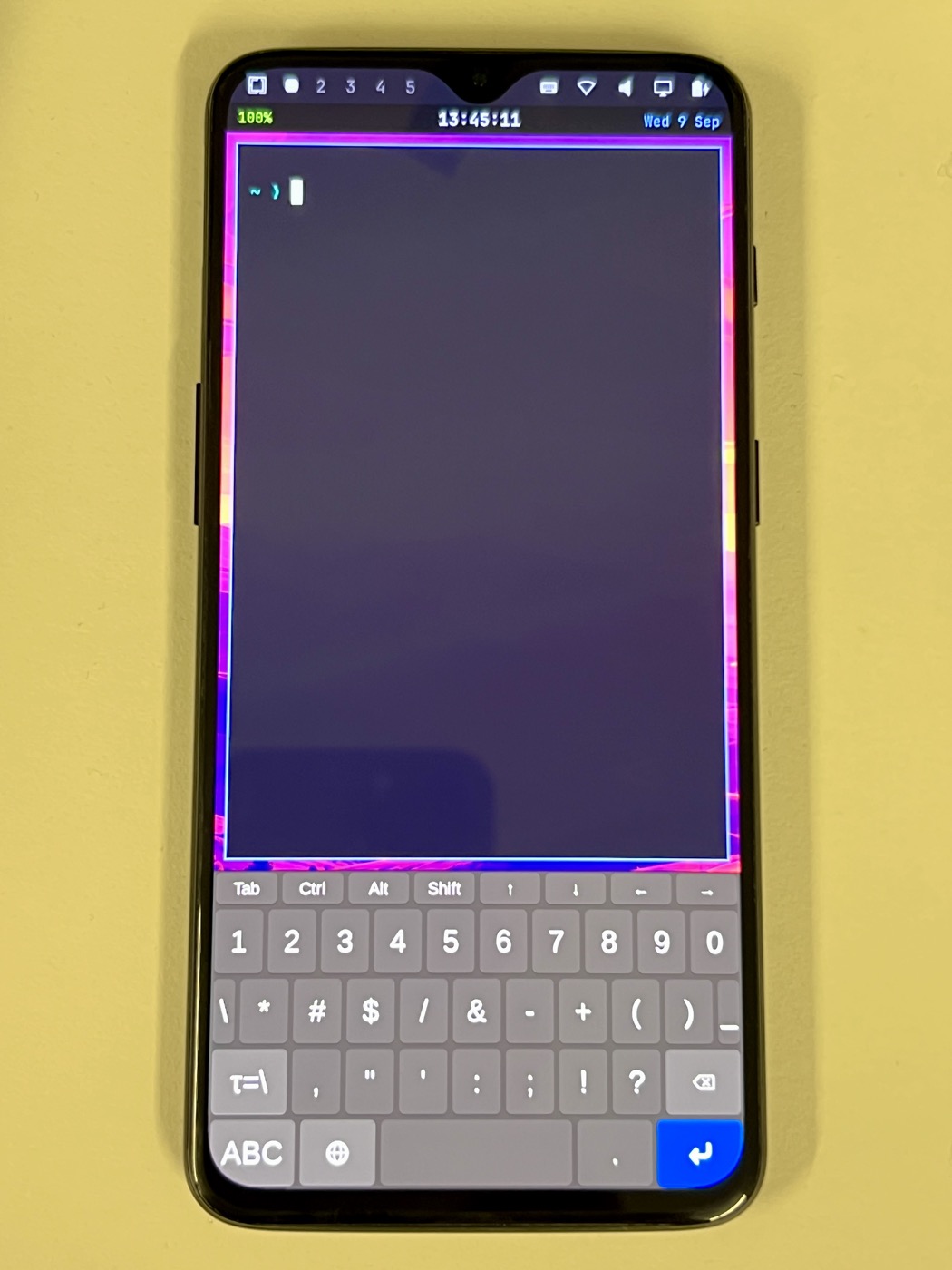
The on-screen keyboard. squeekboard, Phosh’s on-screen keyboard, appeared when forced over DBus and never when a text field was focused. Tracing its Wayland traffic showed Hyprland was sending it activate() in some sessions and never in others, and after a run of controlled tests the rule was: on Hyprland 0.56.2, an input method that connects while no text field is focused never receives activation for the rest of that session, and one started by Hyprland’s own exec never works at all. So the keyboard runs as a systemd user service that opens a throwaway terminal, waits for it to take focus, then starts squeekboard, then parks the terminal on a hidden workspace so a text client always exists. I verified it across three fresh sessions.
The service also needed a restart limit. An early version restarted every few seconds and spawned 56 terminals before I noticed.
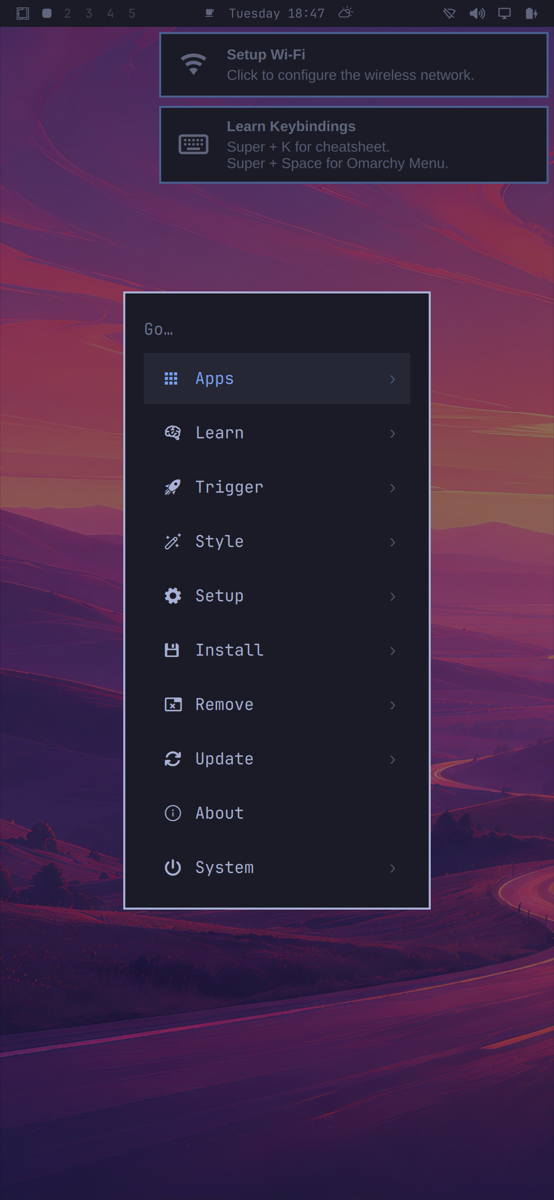
The menu. Omarchy’s menu opened by tapping the bar and then ignored every tap on a row. Its rows use a MouseArea, which only sees pointer events, and a finger on a layer-shell surface (a surface drawn on the compositor’s overlay layer, like a bar or a menu) never synthesises one. Adding a TapHandler with acceptedDevices: PointerDevice.TouchScreen to each row fixed it. Keyboard navigation was already fine, which is how I tested the menu remotely: wtype -k Down over SSH moves the highlight.
The panel that closed while typing. The Wi-Fi panel has a passphrase field. The keyboard appeared, and the first key tap closed the panel. The panel’s outside-click catcher covers the whole screen, keyboard included, so a keypress reads as a click outside. Subtracting the keyboard’s strip from that mask fixed it. Both of these are patches to files Omarchy’s package owns, so they live in a script that re-applies them after an upgrade.
The notch. The 6T has a teardrop notch dead centre at the top, exactly where Omarchy puts the clock. I moved the clock to a second bar row underneath, a small waybar with the time, battery and date, and cleared the centre of Omarchy’s own bar. The second row has to start after the first or whichever maps first takes the top of the screen and the clock is under the notch again.

Text size. Omarchy’s defaults are sized for a laptop. omarchy-display-text-size 18 made the bar legible on a 6.4 inch panel.
Qt apps had no keyboard route at all. Omarchy sets QT_IM_MODULE=fcitx for its input method, and I had masked fcitx5 because it restart-looped without the package installed and fought squeekboard for Hyprland’s single input-method slot. That left every Qt app, which includes Omarchy’s own shell and its Wi-Fi passphrase box, pointed at nothing. Setting the input-method variables to wayland fixed it.
Things that looked like a dead phone
Suspend. Overnight the phone went black and ignored the power button. The Mac still saw its USB network device and could open a TCP connection but never get an SSH banner. The journal from that boot ends with PM: suspend entry (s2idle) and every user process frozen: it had suspended and could not wake. Suspend is now masked, along with the idle actions in logind.
Arch’s maintenance timers. After a reboot the phone was unresponsive for minutes. man-db and updatedb had fired on boot and were pegging the CPU. Both timers are now masked, along with shadow.timer and the keyring sync.
The screensaver. Omarchy’s screensaver uses ttfx, a Rust port of the Python terminaltexteffects that Omarchy builds for x86_64 only. I substituted tte from the Python package, which is architecture-independent. At the 120 frames per second in Omarchy’s screensaver script, the Python engine saturated the SoC, the display glitched, and the phone hung until a forced restart. It is now clamped to 20 frames per second and ships switched off. DHH has since posted that Omarchy ARM is coming.
sshd. Omarchy’s migration 1788124236 disables sshd on first session start when it decides no key is authorised. It ran with passwordless sudo and locked me out of a phone with no keyboard. The fix is an initramfs hook that re-enables sshd on every boot before userspace starts, so a lockout cannot survive a reboot.
Omarchy on ARM
Omarchy publishes x86_64 packages. There is an aarch64 repository at pkgs.omarchy.org/aarch64, and it contains one package, the keyring. When I counted, at 4.0.3, the x86_64 repository held 217 packages and 33 were arch=any. Ten of those are what the phone installs: the shell, the menus, the Neovim config, the fonts and the icon theme. The other 184 are labelled x86_64: the effects engine, the launcher, 1Password, the editors.
Omarchy 4.0.3 shipped while I was doing this. In 4.0.2 the core omarchy and omarchy-settings packages were labelled arch=any. In 4.0.3 they are labelled x86_64. I unpacked 4.0.3 to check: 1172 files and zero ELF binaries, shell scripts and QML and Lua and images. pacman refuses a package for a foreign architecture, so that label alone would pin an ARM install to 4.0.2. The repo has a script that unpacks a package, counts binaries, relabels it any if there are none, and refuses if there are any.
Where it is
Working: the phone boots on its own into Omarchy, and the bar, menu, keyboard, terminal, GPU acceleration, audio, Wi-Fi and USB networking all work. Not working: Bluetooth (the firmware loads, then the controller’s reset times out), the lock screen, and anything cellular. I have not tried the camera.
Next, in the order I expect to do them: the A/B slot fallback above, touch on the rest of the shell’s surfaces, the camera, a native effects engine once Omarchy’s ARM builds land, then mobile data, calls and SMS.
The whole thing is in omarchy-phone, one folder per device. It holds the build scripts, the config that lands on the phone, the two shell patches, and check-sync.sh, which diffs the repo against the live phone so nothing stays fixed only on the device. The README lists every trap above with the reason.