DIY Omarchy Linux Phone
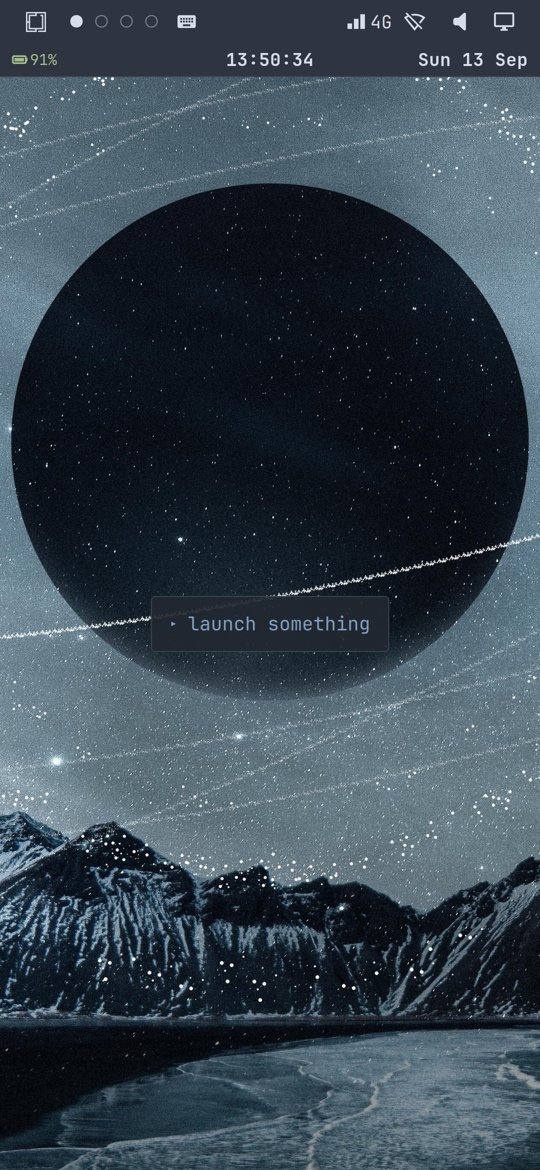
An old OnePlus 6T running Omarchy instead of Android: mainline Linux, driven by finger, mobile data working. The first device of hopefully many. Calls and SMS are next.
Overview
I have wanted a different kind of phone for two years: minimal, without the usual apps, customisable, friendly to hacking on, and with no corporate AI baked in. I looked at the Light Phone, the Nothing Phone and the Boox Palma 2 (which I bought), and at the aftermarket route: a PinePhone, postmarketOS on hardware I own, a Raspberry Pi phone. Then I put Omarchy v3 on a PC, riced it with Claude Code, and when people started putting Omarchy on phones I grabbed an old OnePlus 6T and did the same. The phone boots a mainline Linux kernel into Arch Linux ARM instead of Android, and Omarchy's own shell runs on top with the patches needed to drive it by finger. The code is public. I encourage you to try it too. Let me know if you need help.
Challenges
Omarchy publishes x86_64 builds only, its shell assumes a mouse and a laptop screen, and a phone has a notch, no keyboard, no real-time clock and a bootloader that rewrites the kernel command line. None of those are documented together, so each one had to be found separately.
Constraints
- Pure Arch Linux ARM userspace with pacman. The only prebuilt piece is the postmarketOS kernel binary for this SoC, since Arch has no sdm845 kernel.
- No forking Omarchy or Arch. Everything is a build script, a config file or a re-appliable patch, so upstream updates keep flowing.
- Only the phone, a Mac and a USB cable. The phone had no internet of its own until Wi-Fi worked, so packages went over a reverse SSH tunnel.
Approach
Build a 16 GB Arch Linux ARM image in an arm64 Docker container on the Mac, drop in the postmarketOS 6.16 kernel and firmware, wrap it in an Android boot image and flash it with fastboot. Then bring Omarchy over: its architecture-independent packages install as-is, the shell runs under Hyprland via uwsm, and a setup script applies the phone-specific changes over SSH. Every fix made by hand on the phone was pulled back into the repo, and check-sync.sh diffs the repo against the live device.
Key Decisions
Arch Linux ARM rather than a postmarketOS base
Omarchy is Arch: its packages, its install scripts and its update path all assume pacman. Building on postmarketOS's Alpine would have meant porting all of that. Taking only their kernel binary keeps the rest of the stack identical to a desktop Omarchy install.
Force the root device from inside the initramfs
run_hook() { export root="/dev/sda17"; ... }The OnePlus bootloader appends its own root=/dev/dm-0 after the kernel command line, so any root= we pass is overridden. A small mkinitcpio hook sets the real device before the root is resolved. maggu2810 arrived at the same workaround for the OnePlus 6 (maggu2810.github.io/mobile-devices/op6-instructions-alarm.html).
Start the on-screen keyboard from a systemd user service that opens a throwaway terminal first
On Hyprland 0.56 an input method that connects while no text field is focused never receives activation for the rest of the session, and one launched by Hyprland's own exec never works at all. Measured three fresh sessions each way. Opening a terminal, waiting for focus, then starting squeekboard is the only order that works, and the terminal has to stay alive on a hidden workspace.
Relabel Omarchy packages that contain no compiled code
Omarchy 4.0.2 shipped its core packages as arch=any. 4.0.3 labels them x86_64, but unpacking it shows 1172 files and zero binaries. pacman refuses foreign-arch packages, so without a relabel the phone is pinned to 4.0.2. The script checks for ELF binaries and refuses anything that has them.
Tech Stack
Arch Linux ARM postmarketOS kernel Hyprland Omarchy shell Quickshell ModemManager
Result & Impact
- 3 hours 12 minutesTime to first Omarchy screen
- 33 of 217Omarchy packages that run on ARM unchanged
- 10 patches in one script, re-applied after every Omarchy upgradeShell patches for touch, theming and phone behaviour
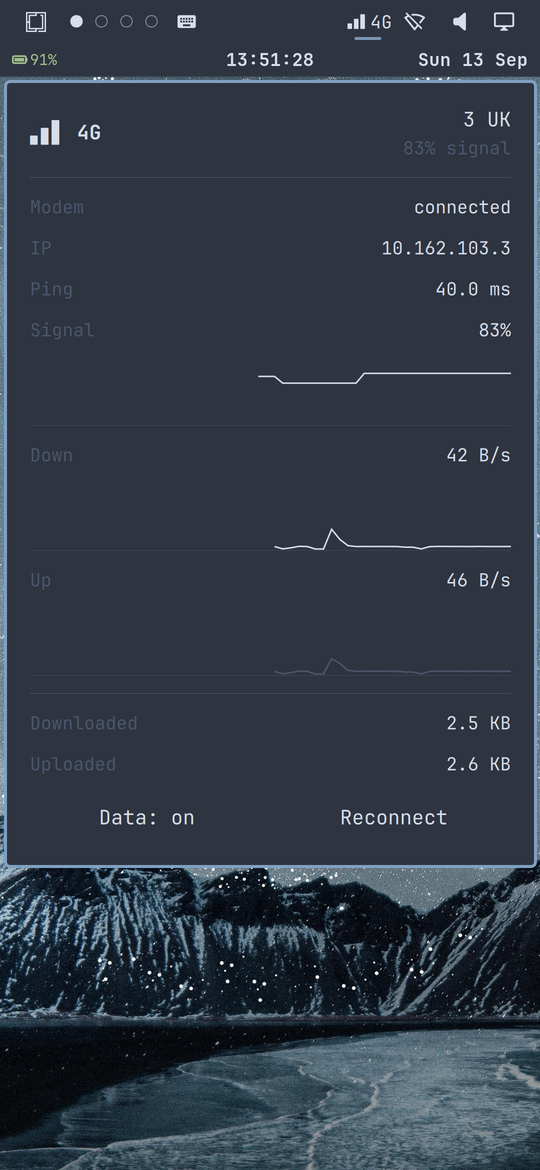
The phone boots unattended into Omarchy and can be used by finger: menu, launcher hint, on-screen keyboard, terminal, lock screen, notification centre, quick settings, Wi-Fi and LTE mobile data with a working Data toggle. Not there yet: calls, SMS and Bluetooth. Every surface follows the theme, including the on-screen keyboard and the clock row. The repo is public, structured for more devices, and kept identical to the live phone by check-sync.sh (59 files, zero drift at time of writing).
Learnings
- Fastboot on this phone needed the USB 2.0 charge cable. With the USB 3 cable that worked for adb, the bootloader vanished from the USB bus and the phone looked broken.
- A phone with no real-time clock starts every boot in 1970. Anything that picks the newest file by timestamp will pick a stale one, and the failures look random.
- Suspend that never resumes is indistinguishable from a dead phone. Mask it before anything else.
- Each handler in the shell that listens only for a mouse is a menu that opens by touch and then ignores every tap.
- Keep a diff between the repo and the live device; here that is check-sync.sh.
Why this phone
I have wanted a different kind of phone for two years: minimal, without the usual apps, customisable, friendly to hacking on, and with no corporate AI baked in. The purpose-built devices did not fit (I bought a Boox Palma 2 to be sure), and neither did the aftermarket route. Then I put Omarchy on a PC, and when people started putting Omarchy on phones I grabbed an old OnePlus 6T and did the same.
Others on Omarchy phones
This did not happen in a vacuum. DHH posted that Omarchy on mobile was “totally possible with Android” but big computers first. Ivan gave an agent a Pixel 4 and had it ported half an hour later, the write-up that started this project (his X thread). Bjarne Øverli’s design concept is where the “launch something” hint came from. Adam built omarchy-phone, controlling an Android phone from Omarchy over Wi-Fi. Chris posted wanting exactly this: an Arch-based Omarchy mobile OS. And Simon took a different route: unmodified Omarchy on Hyprland in an aarch64 VM, with a mobile UI built on top rather than instead of it.
Omarchy is spreading past the desktop in other directions too: Omarchy M runs it as a native app on Apple Silicon Macs, and OmaCRT drives a real 15 kHz CRT television from Hyprland.
Progress so far
Two articles cover the build so far. Omarchy on a OnePlus 6T is the port itself: booting the phone into Arch Linux ARM, Hyprland and Omarchy 4, and getting the bar, keyboard, terminal, GPU, audio and Wi-Fi working. Mobile Data on the Omarchy OnePlus 6T picks up from there: making the shell behave like a phone, three modem bugs between the SIM and a bearer, and theming every surface including the on-screen keyboard. Calls and SMS are next.
The repo
omarchy-phone holds the build: image scripts, the phone-specific setup, the shell patches as one idempotent re-appliable script, and check-sync.sh, which diffs the repo against the live phone so nothing lives only on the device.
Beyond the 6T
The 6T answered the first question: does the stack work on a phone at all. The next phones to try are the ones that share the way in, an unlockable bootloader plus a mainline kernel in postmarketOS. The SDM845 generation (OnePlus 6, Pixel 3, Mi 8) is the sweet spot, and the OnePlus 6 should need little more than a different DTB. Further out, an iPhone is the stretch: only the old checkm8-era devices can boot a third-party kernel at all, and nobody has a phone stack running there, so that chapter is research rather than a port.