I wanted a blocker where each entry carries its own expiry: a block set in the morning lifts itself that evening, with no second decision to make when the time comes. So I built one: danieljohnmorris/site-blocker, a Chrome extension on Manifest V3, MIT licensed. It loads unpacked from chrome://extensions, and I run it in Arc, which is Chromium underneath. It is also submitted to the Chrome Web Store, which is the second half of this post.
The duration dropdown holds eight hours, one day, one week, a date and time you pick, and always. Nothing in the popup unblocks anything: an entry with an expiry lifts itself when it reaches it, an Always entry stays, and re-blocking a host can only extend it. Lifting a block early means disabling the extension at chrome://extensions, which lifts all of them at once.
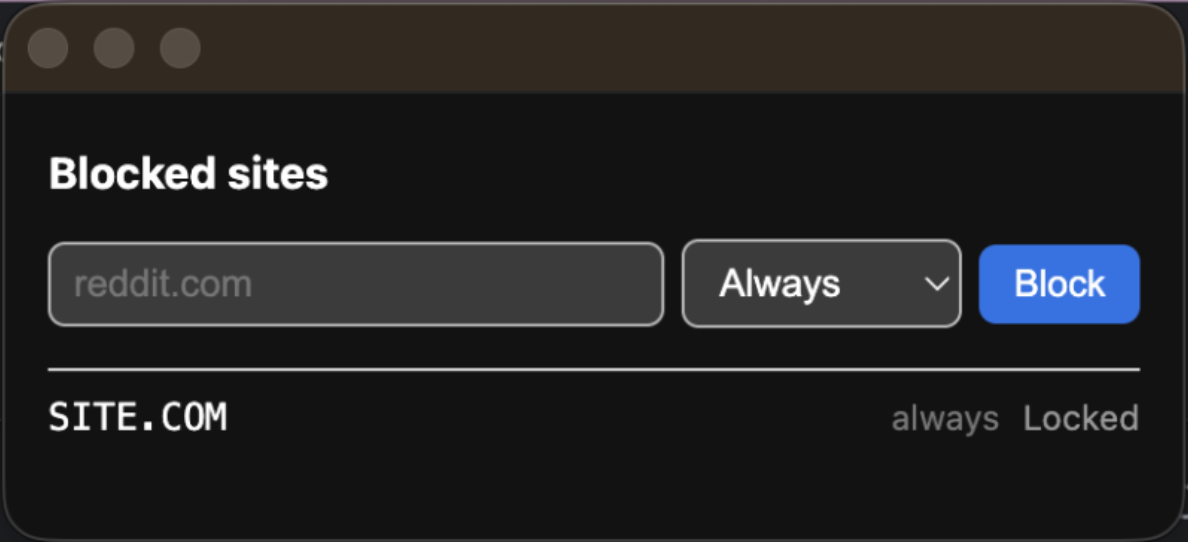
The blocking itself is declarativeNetRequest. The stored list becomes dynamic rules, one per host, and Chrome matches them inside its own network stack, so the extension is never handed the requests it doesn’t block. Rules apply to main_frame requests only, so blocking a domain doesn’t break an embed or an API call on some other site that happens to hit it.

Submitting it to the Chrome Web Store
Publishing needs a developer account with a
one-time registration fee. My new account
showed 0/2 extension limit on the dashboard, and Chrome’s
publishing docs say a new publisher is
limited to two extensions, with increases decided against tenure and activity requirements. The
upload is a ZIP with manifest.json at the root of the archive rather than inside a folder, which
my first attempt got wrong.
The listing form asks for a 128px icon, at least one screenshot at 1280x800 or 640x400, up to five, and promo tiles at 440x280 and 1400x560. Screenshots must be JPEG or 24-bit PNG with no alpha channel, so I composited each capture onto a solid background and saved it as RGB rather than uploading the window grab directly.
The Privacy tab asks for a single purpose description, a separate written justification for every permission in the manifest, a declaration about remote code, and a certification covering what user data the extension collects. The permission list is generated from the manifest, so anything you have asked for and do not use has to be explained or removed.
Mine asked for host_permissions: ["<all_urls>"], and the dashboard flagged it before I could
submit:
Because of the following issue, your extension may require an in-depth review:
- Broad Host Permissions
That permission is there because of the redirect. Blocking with declarativeNetRequest needs no
host access at all, because Chrome grants block rules
implicitly under
the declarativeNetRequest permission. Redirecting is different: it hands the extension the URL
the user was going to, so it requires access to the hosts it acts on. My rules redirect to the
extension’s own Blocked page, which prints the hostname.
Google’s suggested alternatives are activeTab or naming specific hosts in the manifest. Neither
applies, since the blocked hosts are whatever the user types at runtime. Keeping the Blocked page
means keeping <all_urls>, and keeping <all_urls> means accepting the in-depth review flag. I
kept the page. The extension is submitted and I do not know the outcome yet.
The source is at github.com/danieljohnmorris/site-blocker.